
Blog
Nexiq USB Link 3 vs JPRO Professional: Best Heavy-Duty Truck Diagnostic Scanner for 2026
The Complete 2026 Comparison for Diesel Mechanics, Fleet Owners & Heavy-Duty Repair Shops in the USA & Canada
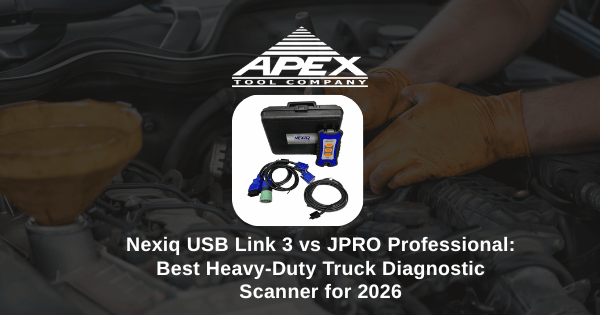
If you run a diesel repair shop, manage a commercial fleet, or service Class 6–8 trucks for a living, your diagnostic scanner is the single most important tool in the bay. It decides how fast you find faults, how many trucks you can turn in a day, and how often you have to send a job back to the dealer. In 2026, two names dominate the heavy-duty diagnostic market in the USA and Canada: the Nexiq USB Link 3 and the JPRO Professional. So which one is actually the best heavy-duty truck diagnostic scanner for your shop?
This guide breaks down the real differences between Nexiq USB Link 3 and JPRO Professional — coverage, software, bi-directional capability, price, ROI, and the specific situations where each one wins. By the end you'll know exactly which one belongs on your tool cart.
TL;DR — Quick Answer:
- Choose JPRO Professional if you need an all-makes scanner with bi-directional tests, fault-guided repairs, and built-in repair information for fleets and busy independent shops.
- Choose Nexiq USB Link 3 if your shop already runs OEM software (Cummins INSITE, Detroit DDDL, Cat ET, Volvo PTT) and you need a rock-solid, RP1210-compliant adapter to connect to it.
- Run both if you do high-volume diesel work — JPRO for diagnostics, Nexiq for OEM-level programming.
The Real Problem Diesel Shops Are Facing in 2026
Modern diesel trucks — Cummins X15, Detroit DD15, Volvo D13, Mack MP8, PACCAR MX-13, Cat C15 — run on more than 60 ECUs talking across CAN, J1939, and J1708 networks. A simple "check engine" light could be a bad NOx sensor, a clogged DPF, an SCR fault, a fuel rail pressure issue, or a software calibration problem. Without the right diagnostic scanner, technicians waste 2–4 hours per truck guessing.
For fleet owners, that translates directly into:
- Lost revenue from trucks sitting idle in the bay
- Expensive dealer visits (often $200+/hour) for jobs you should be doing in-house
- Driver complaints and missed delivery windows
- Higher labor costs per repair order
The right scanner pays for itself in weeks. The wrong one becomes a $5,000 paperweight. That's why the Nexiq vs JPRO question matters so much.
What Is the Nexiq USB Link 3?
The Nexiq USB Link 3 is a heavy-duty vehicle interface (VCI) made by NEXIQ Technologies. It's the third-generation upgrade to the legendary USB Link 2 and is widely considered the industry-standard adapter for connecting a laptop to a heavy-duty truck. It's RP1210, RP1210C, and J2534 compliant, meaning it works as the bridge between your computer and almost every OEM diagnostic application on the market.
Key Features of Nexiq USB Link 3
- Supports 6-pin and 9-pin Deutsch, OBD-II, and 16-pin GMLAN connectors
- USB and Bluetooth wireless connectivity (range up to 100 ft)
- Compatible with Windows 10 and 11
- Works with Cummins INSITE, Detroit DDDL, Cat ET, Volvo PTT, Mack Premium Tech Tool, Allison DOC, Bendix ACom, Eaton ServiceRanger, Wabco Toolbox
- Faster data throughput than USB Link 2 (critical for ECM flashing)
- Rugged shop-grade housing with strain-relief cabling
The Nexiq USB Link 3 isn't a software product — it's the hardware passport that lets you run any OEM software you've licensed. That's both its biggest strength (universal compatibility) and its biggest limitation (you still have to buy and maintain the OEM software separately).
What Is JPRO Professional?
JPRO Professional, made by Noregon, is a complete all-makes diagnostic and repair platform for Class 4–8 commercial vehicles. Unlike Nexiq, JPRO is a fully integrated solution that includes the JPRO software, the Next Step adapter, and access to NextStep repair information — all in one purchase.
Key Features of JPRO Professional
- One-click full vehicle scan across every ECU on the truck
- Bi-directional component tests (DPF regen, cylinder cutout, injector tests, brake bleeding, ABS resets, etc.)
- Fault-guided diagnostics with step-by-step repair instructions
- Coverage for Cummins, Detroit, PACCAR, Volvo, Mack, International, Allison, Bendix, Wabco, Hino, Hyundai, Isuzu, and more
- NextStep repair database with wiring diagrams, TSBs, and component locations
- Annual subscription includes coverage updates and new vehicle support
JPRO is what most independent shops and fleets reach for first when a truck rolls in. It does in 5 minutes what would take 30 minutes of jumping between OEM applications. The trade-off: JPRO will not perform OEM-level programming or parameter changes that require licensed factory software.
Nexiq USB Link 3 vs JPRO Professional: Side-by-Side Comparison
| Feature | Nexiq USB Link 3 | JPRO Professional |
|---|---|---|
| Type | Hardware adapter (VCI) | Complete diagnostic suite (software + adapter) |
| Software included | No — uses OEM apps | Yes — JPRO + NextStep |
| Bi-directional commands | Through OEM software only | Built-in, all-makes |
| Fault-guided diagnostics | No | Yes |
| OEM programming | Yes (with OEM license) | Limited |
| Wireless connectivity | Bluetooth (100 ft) | Bluetooth + Wi-Fi |
| RP1210 / J2534 compliant | Yes | Yes |
| Repair information | None | NextStep included |
| Approx. price (2026) | $1,400 – $1,700 | $5,500 – $7,500 (year 1) |
| Best for | Shops with OEM software | Fleets & all-makes shops |
| Learning curve | Moderate (depends on OEM app) | Easy |
| Annual renewal | None (hardware only) | Yes (subscription) |
Vehicle and Engine Coverage Compared
Coverage is where most buyers get tripped up. On paper, both tools cover "all heavy-duty trucks." In reality, the depth of that coverage is very different.
Nexiq USB Link 3 Coverage
Coverage is determined entirely by the OEM software you connect through it. With the right licenses, the USB Link 3 will give you full dealer-level access to:
- Cummins ISX, X15, ISB, ISC, ISL, ISM (via INSITE)
- Detroit DD13, DD15, DD16, Series 60 (via DDDL)
- Caterpillar C7, C9, C13, C15 (via Cat ET)
- Volvo D11, D13, D16 (via Volvo Premium Tech Tool)
- Mack MP7, MP8, MP10 (via Mack Premium Tech Tool)
- Allison transmissions (via Allison DOC)
- Bendix and Wabco brake systems
JPRO Professional Coverage
JPRO covers all of the above at a diagnostic level (read codes, freeze frame, live data, bi-directional tests) without needing any OEM software. It also adds strong coverage for:
- PACCAR MX-11 and MX-13
- International / Navistar A26, MaxxForce
- Hino, Isuzu, Hyundai medium-duty
- Eaton transmissions and clutches
- Body builder modules and telematics gateways
Bottom line: JPRO gives you broad coverage instantly. Nexiq + OEM software gives you deep coverage on the brands you license. Most serious shops eventually need both.
Which Scanner Is Best for Your Shop?
Best for In-House Fleet Maintenance: JPRO Professional
If you run 15+ mixed-make trucks (Freightliners, Peterbilts, Kenworths, Macks, Volvos, Internationals), JPRO Professional is the obvious starting point. One license, one adapter, and your technicians can pull codes and run regens on the entire fleet without juggling six different OEM applications. The NextStep repair info alone often saves enough labor hours to justify the subscription.
Best for Independent Diesel Specialists: Nexiq USB Link 3
If your shop specializes in one or two engine families — say, Cummins and Detroit — the Nexiq USB Link 3 paired with INSITE and DDDL gives you dealer-level capability at independent-shop pricing. You can flash ECMs, change parameters, perform injector trims, and reset adaptive learn values that JPRO simply can't touch.
Best for High-Volume Truck Repair: Both
The most productive heavy-duty shops we work with run JPRO on the front end (fast triage and quoting) and Nexiq USB Link 3 on the back end (deep repairs and programming). Total investment is around $7,000–$9,000 — recovered in 3–4 months on a busy floor.
Best for Mobile Diesel Mechanics: Nexiq USB Link 3
For mobile techs working out of a service truck, the smaller footprint and Bluetooth range of the USB Link 3 is hard to beat. Pair it with a rugged laptop and the OEM software your customers run, and you've got a complete mobile diagnostic rig.
ROI: How Fast Does a Diesel Diagnostic Scanner Pay for Itself?
Let's run the numbers. The average heavy-duty repair shop bills $135–$185/hour in the USA and CAD $145–$210/hour in Canada. A diagnostic scanner that saves just one hour per truck pays back in weeks:
- JPRO Professional ($6,500): pays for itself in ~36 billable hours saved — roughly 4–6 weeks for an average shop.
- Nexiq USB Link 3 ($1,500): pays for itself in ~8 billable hours — usually within the first week of use.
- Avoided dealer visits: One in-house ECM flash you don't have to outsource saves $400–$900 per truck.
For fleet owners, the math is even better. Cutting downtime by even 2 hours per service event across a 25-truck fleet adds up to tens of thousands of dollars per year in recovered productivity.
5 Common Mistakes Shops Make When Buying a Diesel Scanner
- Buying the cheapest "all-in-one" scanner on Amazon. Sub-$500 generic scanners often won't read 9-pin Deutsch properly, can't perform bi-directional tests, and aren't supported by OEM software. They cost more in wasted time than they save in dollars.
- Forgetting the subscription cost. JPRO is an annual model. Cummins INSITE, Detroit DDDL, and Cat ET all require annual licenses too. Budget for renewals before you commit.
- Skipping technician training. Even the best scanner is useless if your team only knows how to read codes. Invest in JPRO training or OEM software classes.
- Running outdated firmware. Newer trucks (especially 2023+ EPA models) regularly need adapter firmware updates. Ignoring these creates "no communication" headaches.
- Buying one tool when you need both. Trying to force JPRO to do OEM programming, or trying to triage a whole fleet through INSITE alone, is a recipe for frustration.
Pro Tips From Diesel Shops That Get It Right
- Dedicate a diagnostic laptop. Don't share it with the office. Lock down OS updates so your OEM software doesn't break overnight.
- Label your adapters. In a busy shop with multiple Nexiq and JPRO units, labeling and serializing them prevents costly mix-ups.
- Use a powered USB hub when running multiple OEM applications simultaneously to avoid disconnects during ECM flashing.
- Always pull a full vehicle scan first with JPRO before drilling into any single ECU with OEM software. It saves an enormous amount of time.
- Keep a spare 9-pin Y-cable on the truck — they fail more often than the adapters themselves.
- Document your repairs in NextStep or your shop management system — pattern failures emerge fast, and that data becomes serious money.
Frequently Asked Questions
Which is better for a fleet, Nexiq USB Link 3 or JPRO Professional?
JPRO Professional is generally better for in-house fleet maintenance because of its bi-directional commands, fault-guided diagnostics, and broad OEM coverage out of the box. Nexiq USB Link 3 is the better pick when shops already use OEM software like Cummins INSITE, Detroit DDDL, or Cat ET and just need a reliable adapter.
Does the Nexiq USB Link 3 work with all OEM diesel software?
Yes. Nexiq USB Link 3 is RP1210 compliant and works with all major OEM applications including Cummins INSITE, Detroit Diesel DDDL, Caterpillar ET, Volvo PTT, Mack Premium Tech Tool, Allison DOC, and Bendix ACom.
How much does JPRO Professional cost in 2026?
JPRO Professional kits typically range between $5,500 and $7,500 for the first year, including the Next Step adapter, JPRO software license, and access to NextStep repair information. Annual renewals are lower.
Can I use Nexiq USB Link 3 on heavy-duty, medium-duty, and off-highway equipment?
Yes. Nexiq USB Link 3 supports 6-pin and 9-pin Deutsch connectors, OBD-II, and 16-pin GMLAN, giving it coverage across Class 4–8 trucks, agricultural equipment, construction equipment, buses, and stationary diesel engines.
Do I need both Nexiq and JPRO?
Many high-volume diesel shops run both. JPRO handles all-makes fault scanning and bi-directional tests, while Nexiq USB Link 3 is used as the OEM software adapter for deep programming and parameter changes that JPRO doesn't perform.
Is JPRO Professional a one-time purchase?
No. JPRO Professional uses an annual subscription model. The first year includes the hardware adapter and software license, and you renew annually to receive new coverage, OEM updates, and NextStep repair information.
What about Canadian shops — are Nexiq and JPRO supported in Canada?
Yes. Both Nexiq USB Link 3 and JPRO Professional are fully supported across Canada, work with all bilingual OEM software, and ship to all provinces. Apex Tool Company supplies both tools to fleets and shops across Ontario, Quebec, BC, Alberta, and the Maritimes.
Upgrade Your Diesel Diagnostic Setup Today
Whether you need a Nexiq USB Link 3 adapter, a complete JPRO Professional kit, OEM cables, or supporting heavy-duty truck repair tools, Apex Tool Company stocks the professional-grade diesel diagnostics trusted by fleets and shops across the USA and Canada.
Shop Diesel Diagnostic Tools at Apex Tool CompanyDon't lose another billable hour to slow diagnostics. Compare scanners, get expert advice from real diesel tool specialists, and outfit your shop with the same equipment running in North America's top fleet maintenance facilities.
Browse professional diesel tools and diagnostic equipment at Apex Tool Company.
overall rating:
my rating:
log in to rate